

Close the lid.
Keep working.
Wick keeps your Mac awake with the lid shut, so coding agents, builds and downloads finish while you walk away. Free and open source.
brew install --cask s1lvazxy/tap/wick

macOS would sleep here.
Wick stays lit.
Your agent keeps running and the network stays up. When the time you set runs out, your Mac goes back to sleeping as usual.
What it does
One button, with the stopping built in.
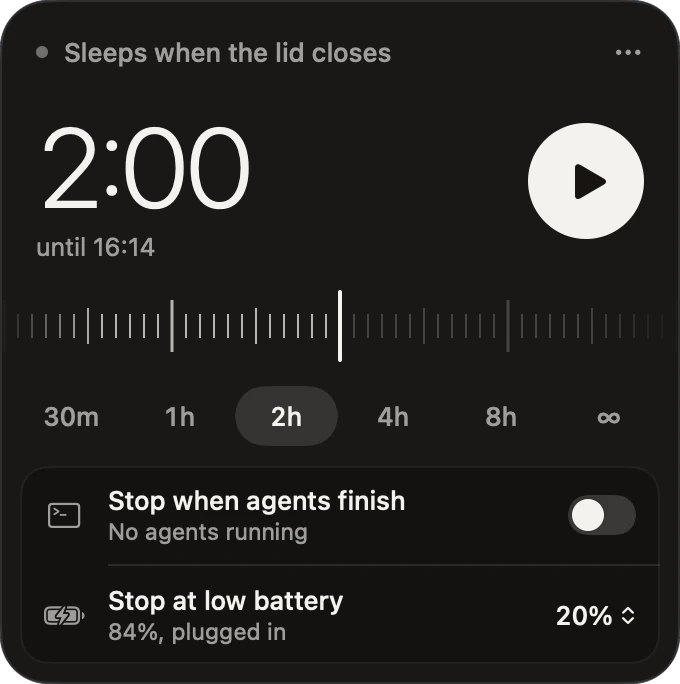
Pick how long, press play, close the lid. This is the panel that drops from your menu bar. Try it, nothing here touches your Mac.
Sleeps when the lid closes
2:00
for the next 2 hours
Stop when agents finish
Claude Code runningStop at low battery
84%, plugged in$ wick run claude
Awake while this runs. Back to normal when it exits.
$ wick agents
Claude Code
Codex
Safety
It always puts sleep back.
Forgetting pmset disablesleep 1 is how a laptop cooks in a backpack. So Wick treats turning it
off again as the main job.
-
A guard outlives the app
Every session is enforced by a small separate process. If the app crashes or the terminal closes, the timer still ends on time.
-
Low battery stops it
On battery, Wick lets go at 20% by default, so your Mac can sleep rather than die mid-task.
-
Heat stops it
If macOS reports a critical thermal state, the session ends. You can't turn this one off.
-
Logging out or quitting stops it
Quit Wick, log out or shut down, and sleep comes back. If the guard is ever force-killed or the power cuts out, a background job picks the session up within five minutes.
-
The permission is one line
A sudoers rule that allows two exact commands and nothing else. Read it, or remove it with
wick uninstall.you ALL=(root) NOPASSWD: /usr/bin/pmset -a disablesleep 0, /usr/bin/pmset -a disablesleep 1
Keep it out of bags while it's awake. A closed Mac sheds heat slowly, and no software fixes that.
By morning the work is done, and your Mac sleeps like normal again.
Install
Four steps, about a minute.
Needs macOS 14 Sonoma or later. Runs on Apple silicon and Intel.
-
Get the app
Homebrew is the easiest way to install and update Wick, and it adds the
wickcommand too.brew install --cask s1lvazxy/tap/wickUpdate with
brew upgrade --cask wick.Download from GitHubUnzip and drag Wick to Applications. Early builds aren't notarised, so the first time, open System Settings → Privacy & Security and choose Open Anyway.
-
Open it and press play
Wick lives in your menu bar, with no window and no Dock icon. Click the mark, pick a duration, press play.
-
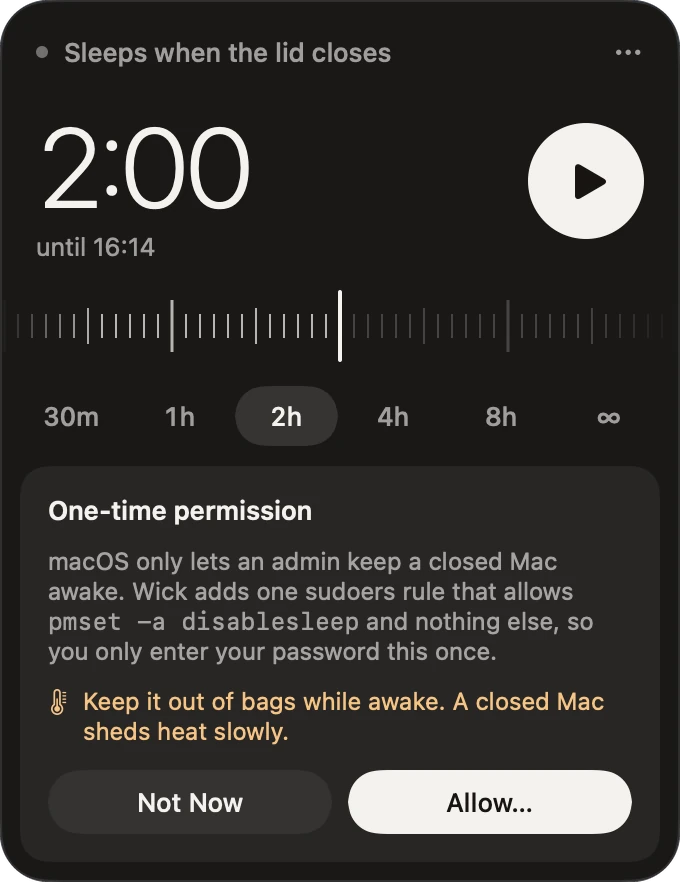
Allow it, once
Only an admin can keep a closed Mac awake, so the first time, macOS asks for your password to add Wick's one-line rule. You won't be asked again.
-
Close the lid
That's it. Open it again whenever you like. The panel tells you how long is left, or why Wick stopped.
From the terminal
wick on 2h- Stay awake for two hours.
wick on --agents- Stay awake until your agents finish.
wick run claude- Stay awake while one command runs.
wick off- Back to normal, right now.
wick status- See what's going on.
Questions
Why not just use caffeinate?
caffeinate stops idle sleep, but closing the lid still puts the Mac to sleep. Only the disablesleep setting survives that, and it needs root.
What counts as an agent finishing?
Its process exiting. An agent left open at its prompt still counts as running, so use a timer or wick run if that's likely.
Do I need an external display or power?
Neither. It works on battery with nothing plugged in, and stops at the battery level you choose.
How do I remove it?
Run wick uninstall to remove the rule, then brew uninstall --cask wick, or delete the app if you installed it by hand.